
By Zajac Trial Group · Updated November 1, 2026 · Practical planning guide
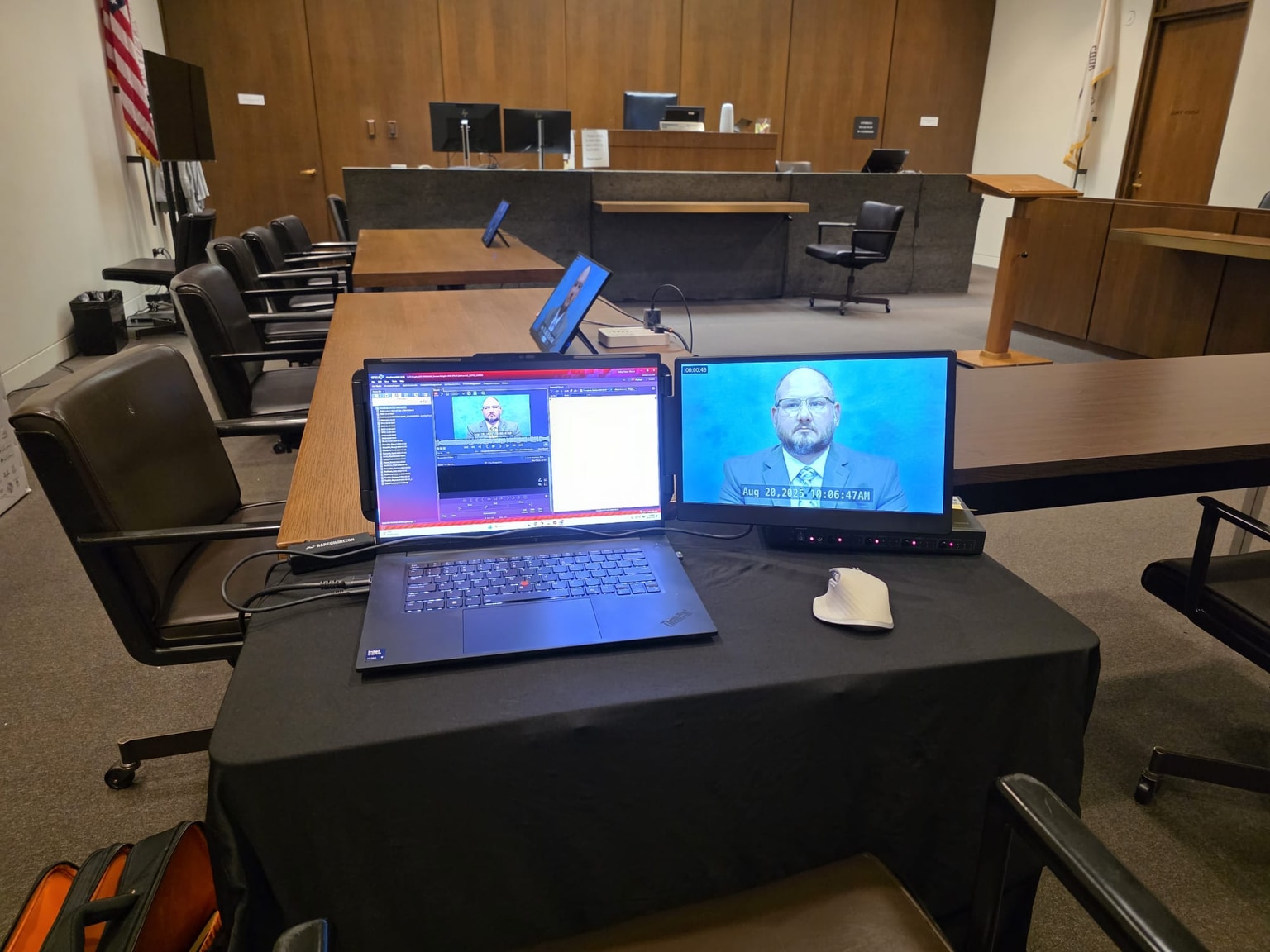
Confirm access before planning the installation.
Identify the courthouse, courtroom and staff contact through counsel. Ask which equipment is available, what outside equipment is permitted and how to arrange a test. Also confirm access time, security procedures, loading arrangements and where the operator may sit. Do not assume procedures from one court apply in another state.
For example, the District of Connecticut asks users to discuss the available features and training with the courtroom deputy. The Western District of Pennsylvania recommends arranging a demonstration and trial run. These are examples of local guidance, not nationwide rules.
Check each connection.
Scroll sideways to view all columns
| Checkpoint | Record the answer |
|---|---|
| Presentation computer | Owner, power, software and current files. |
| Connection | Actual input, adapter, cable and spare if agreed. |
| Preview and audience views | Where each view appears and who controls publication. |
| Video sound | Output device, courtroom input, level and mute control. |
| Display legibility | Readability of a representative exhibit from the audience area where access is allowed. |
| Clear-screen control | Tested method to remove displayed material. |
Use fictional or approved test material. A desktop notification or an open email window should not become part of the display. Check the presentation device's notification and power settings as part of preparation.
Rehearse a short, representative sequence.
Call up a multipage document, enlarge a passage, move to a graphic, play a clip with sound and clear the display. Include a switch between sources if more than one computer will be used. Check the actual aspect ratio and scaling rather than relying on a screenshot from another screen.
For remote testimony, coordinate the permitted platform and process with counsel and the court. A separate test should address the witness device, camera, microphone and connection, where that work is in scope. The operator should know which part of the setup they control and whom to contact for the rest.
Record the date of the test, the equipment used, remaining issues and the responsible person. A later laptop or cable change may require another check.
Test the backup too.
Identify the failure you are planning for: missing file, laptop failure, display connection or audio. A spare computer without the current database does not solve the same problem as a checked duplicate system. Agree which files are available without a network connection and how access is controlled.
- Keep the agreed backup synchronized with the current presentation set.
- Test a representative document and clip on that backup.
- Record who can switch the source and what counsel should do during the handoff.
- Identify court staff or vendor contacts for equipment outside the operator's control.
- Recheck changes before the next court session.
For equipment scope, see courtroom technology services. For travel and arrival planning, see preparing for an out-of-town trial. Backup arrangements must be confirmed for each engagement.
Before we begin
Questions from trial teams.
Will the court provide every cable and adapter?
Do not assume so. Confirm the available equipment and who supplies each connection, adapter and backup component for the assigned courtroom.
How early should we arrange a courtroom test?
Check the specific court’s requirements as soon as the assignment is known. Access windows and notice requirements differ; the trial date alone does not establish a testing appointment.
Can we rely on courtroom Wi-Fi?
Confirm availability and permitted use. Discuss which presentation materials can be accessed without a network connection and test the agreed fallback.