
By Zajac Trial Group · Updated November 1, 2026 · Practical planning guide
Keep one current exhibit index.
Choose a person responsible for the current exhibit index. Include the proposed exhibit identifier, short description, source filename, page count, Bates range if available and a working status. Keep identifiers as text when they contain leading zeros or letters. Distinguish an exhibit number from a Bates number and from the PDF's internal page number.
A source document may have its own printed page numbering. If counsel asks for “page 7,” agree whether that means PDF page seven, the printed page or a Bates reference. Resolve the ambiguity during preparation rather than during testimony.
Scroll sideways to view all columns
| Exhibit | File | Pages | Working note |
|---|---|---|---|
| 014 | 014_supply-agreement_v03.pdf | 9 | Use PDF page 7 for paragraph 7.2. |
| 015-A | 015-A_email-chain_v02.pdf | 4 | Counsel review pending. |
Fictional examples only. Naming conventions do not establish admissibility or satisfy every court's exhibit requirements.
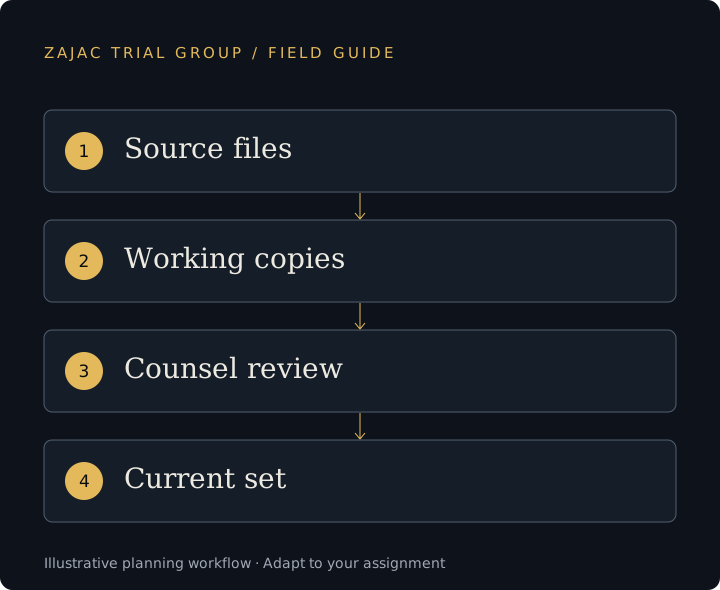
Separate originals, working copies and approved outputs.
Preserve the supplied originals in a controlled location. Keep presentation copies, demonstratives and exported video clips in clearly identified working folders. Use an explicit current-version index so the operator does not have to decide between similarly named files.
- Source: the material received from counsel, preserved for reference.
- Working: files being processed, checked or revised.
- Ready for counsel review: a clearly identified delivery with a change note.
- Approved for the planned use: the version counsel has cleared, subject to later instructions.
- Superseded: prior versions kept outside the live presentation set.
Folder labels are a workflow aid. They do not override a ruling or replace counsel's instruction on whether material may be displayed.
Check that the operator can find the right page.
Open the actual files on the planned presentation system. Check page order, orientation, readable text, color where meaningful, missing attachments and unintended blank pages. Searchable text can help retrieval, but OCR can misread numbers or names; compare important references with the visible document.
Test a small rehearsal list containing an early exhibit, a late exhibit, a long document and a revised file. Ask for them in a different order from the index. This checks whether the references work during a live examination, rather than just confirming that the folder exists.
For callouts, keep enough surrounding material to identify the passage and follow counsel's instructions. For video, use the separate deposition preparation workflow.
Need help building or reviewing the presentation database? Our OnCue trial technician services cover exhibit preparation, saved callouts and courtroom operation.
Include a change list with every update.
A change delivery should say what was added, replaced or removed, which prior version it supersedes and who approved it. A message saying “new folder uploaded” leaves the operator to infer those decisions. Use the exhibit ID and a timestamp with a time zone when the team is working across the country.
After an update, the operator checks retrieval and any saved callouts affected by changed pagination. Synchronize the agreed backup only after establishing which set is current. Before the next session, counsel and the operator should share the same revised exhibit references.
Use the full preparation checklist to coordinate witness lists, graphics and courtroom access alongside the exhibit handoff. Initial inquiries should contain scheduling information, not confidential case files.
Before we begin
Questions from trial teams.
Should we renumber exhibits to make file names simpler?
Follow counsel’s exhibit numbering and applicable court requirements. Agree any change with counsel before altering identifiers or related references.
Is OCR enough to verify an exhibit?
No. OCR supports searching but does not verify page order, accuracy, readability or completeness. Important passages still need a visual check.
Can an existing database be reused?
Yes, after checking its software version, file links, exhibit references and current contents. An inherited database still requires review.