
By Zajac Trial Group · Updated November 1, 2026 · Practical planning guide
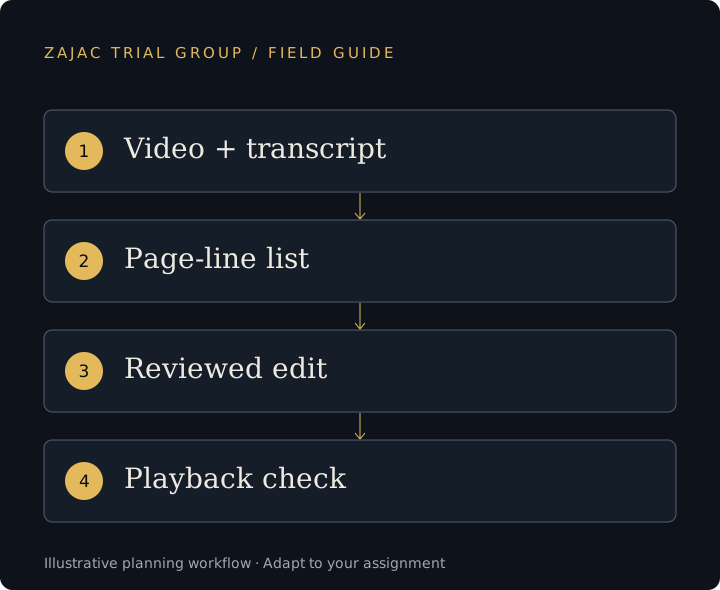
Collect the transcript, media and instructions together.
Identify the witness, deposition date and session or volume before editing. Request the source video, the matching transcript and any synchronization files already available. Confirm that all media segments are present. Similar filenames are not enough to establish that a transcript and video belong together.
Supply page-line designations in one agreed format and identify the party or purpose of each list. Separate original designations, counterdesignations and later revisions. Counsel should identify the current working instructions rather than asking the editor to choose between marked-up versions.
OnCue's designation-list documentation explains its synchronized-transcript and source-video requirements and text-list import workflow. Confirm details for the installed version with the operator.
Keep track of selections, edits and approval.
Scroll sideways to view all columns
| Stage | Owner of the decision | Working record |
|---|---|---|
| Selection | Counsel | Witness, session and page-line list. |
| Technical assembly | Technician | Clip ID, source files and edit version. |
| Objections and revisions | Counsel supplies instructions | Changes tied to the affected designation. |
| Playback review | Counsel and technician | Identified export and remaining issues. |
| Use in court | Counsel directs, subject to the court | The current cleared version. |
For example, “Witness A / session 2 / clip 06 / revision 3” is easier to confirm than “final-final-video.” This is a fictional labeling example, not a prescribed court format.
Review the actual output from beginning to end.
Play the exported clip, not just the source recording. Check its start and end, the requested sequence, audio continuity and any captions. Confirm that a removed passage is absent from the exported file and that the remaining transitions match counsel's instructions.
Use a clip list that ties each output to its transcript references. If a revision changes duration or sequence, update that list and the operator's cues. OnCue provides several designation report formats; select a report that helps counsel review the actual delivery rather than assuming one format serves every purpose.
Allow time for corrections. A successfully exported file can still contain the wrong version of the requested testimony.
Test the clips on the courtroom system.
The final check includes the presentation laptop, software, display and audio path planned for court. Confirm who starts, pauses and clears the clip and how counsel requests a change. Test any fallback export on the agreed backup system rather than assuming it will behave identically.
Before a revised clip replaces an earlier one, identify which devices need updating and which operator has acknowledged the change. For a traveling team, record handoff times with the relevant time zone. Avoid leaving old and new exports together under indistinguishable names.
Our deposition video preparation service covers the technical scope. The courtroom check covers the room-side questions. Requirements for use of testimony vary by court and proceeding; counsel must confirm the applicable directions.
Before we begin
Questions from trial teams.
Can the technician decide which disputed testimony to cut?
Counsel must supply the selection and revision instructions, including directions following rulings. The technician implements and checks the technical edits.
Can we send only page-line designations?
The operator also needs the matching media and transcript materials, or confirmed access to an existing synchronized database. Discuss what is missing before scheduling the work.
Is a transcript report a substitute for watching the final clip?
No. A report helps review the references; playback review checks the actual audio, video, transitions and export.